
NFe Analytics: analyze data from NFe XML files, free and easy
This tool was built to help small business owners who want to understand more about their sales - revenue over time, top customers, and best-selling products.

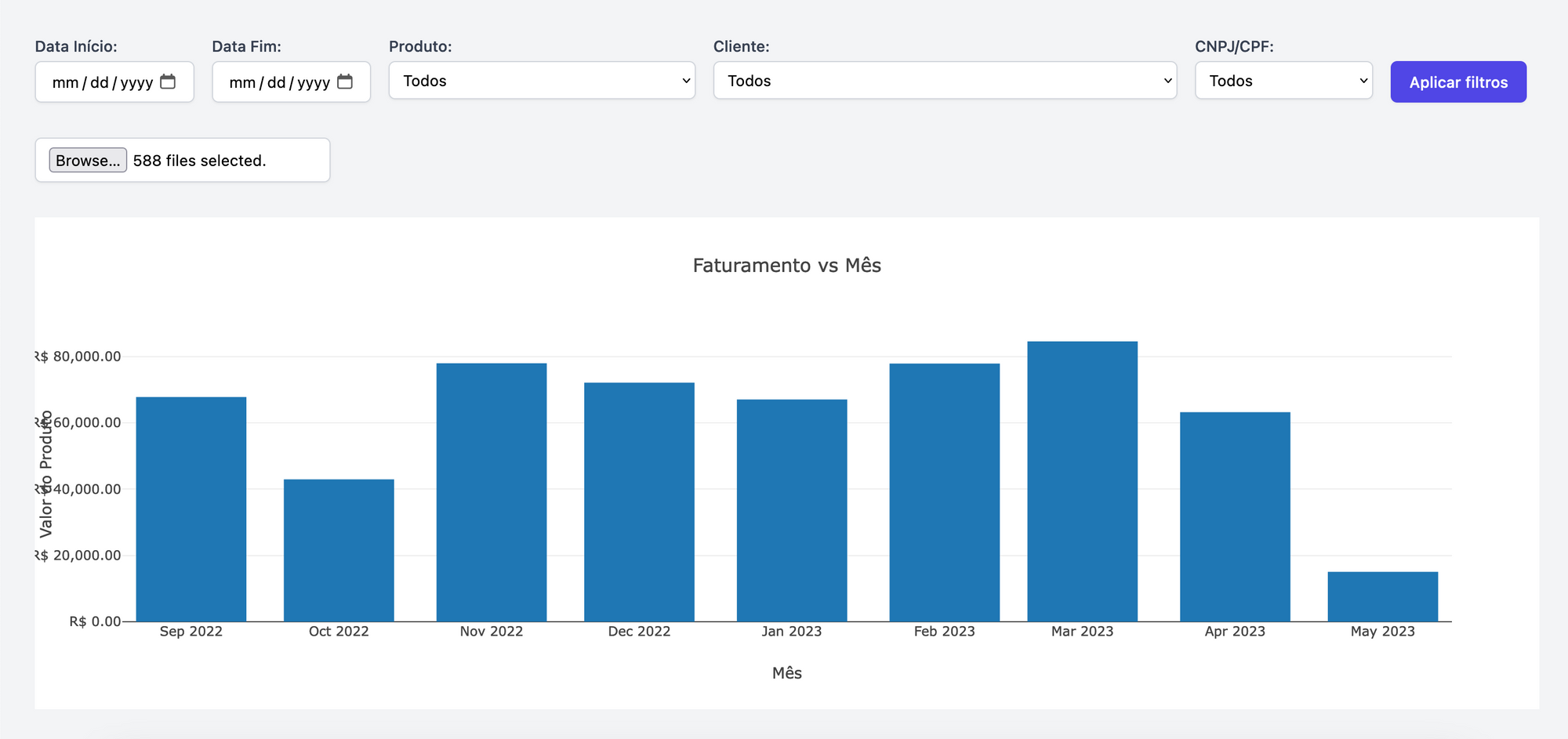
This tool was built to help small business owners who want to understand more about their sales - revenue over time, top customers, and best-selling products.
To use it, just go to nfeanalytics.adamante.com.br and upload your XML files.
Why build NFe Analytics?
The idea behind NFe Analytics is to simplify the process of analyzing NFe invoices and managing revenue for small business owners who don't have the time or resources to deal with complex ERPs. NFe Analytics lets you manage your revenue with ease, without having to deal with complicated systems.
How NFe Analytics works
NFe Analytics analyzes invoice files without uploading or sharing your data, ensuring complete security and privacy.
With simple controls, you can filter the data by date, product, or customer, and the application will display total sales, sales by product, and sales by customer in a clear and concise way.
Also, since there is no server-side code or third-party services involved, NFe Analytics is completely secure and focused on user privacy.
Using NFe Analytics
To start using NFe Analytics, just visit the hosted version at nfeanalytics.adamante.com.br.
All data processing happens on your device, ensuring the same functionality and privacy as the local version. If you want to host it on your own server, or run it locally, here is the github address.