
The Guide to Attribution Models in Google Analytics
How to use Google Analytics attribution models like a pro!


How to use Google Analytics attribution models like a pro
Have you ever stopped to think about how many interactions a user has with your site before a conversion?
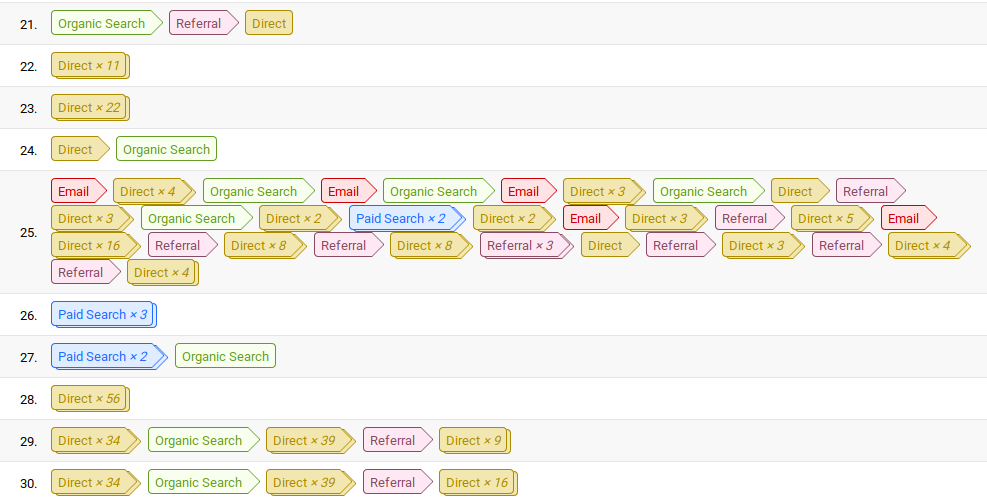
Yep. Some people take a pretty crazy path.

Assuming you got three clicks (like in the image) before a conversion, can you tell me which of the three channels was responsible for the sale?
The answer (almost always): it depends!!
Let's say you want to buy a hat!
You search for “Hats Curitiba” and get hit with an ad from Chapeleiro Maluco.
So you make your first click and discover the brand through a paid search. But you don't take action that day.
Two days later, you remember you need the hat and google “Chapeleiro Maluco”.
You make your second click, on an organic Google link.
And then someone calls you, you get distracted and close the page. No action taken on day two.
A day later, you type www.chapeleiromaluco.com straight into the browser bar and make a purchase through their ecommerce.
The conversion and your third and final click are recorded.
Which click was responsible for the sale?
Some people will say it was clearly paid search.
Some will say each one deserves a bit of the credit.
And some will say it was the last one.
The answer is: it depends on the attribution model.
Google Analytics' default model is last click, which is most relevant at the bottom of the funnel;

But there are other attribution models, like first click or linear.
Last Click Attribution Model
This is Google Analytics' default model, and the vast majority of people never even realize they're using it!
As the name suggests, the last click gets credited as responsible for the sale.
This model should be used to investigate the effectiveness of bottom-of-funnel actions, like email marketing, retargeting and branding campaigns, SMS blasts, and the like.
But it's often not the best way to look at your media investment, or your SEO, especially if your product / site has a longer consideration journey.
First Click Attribution Model
Another very simple model, it attributes the conversion value entirely to the first click.
Here we get a view of the top of our funnel.
You should use this model to investigate the performance of paid media campaigns, SEO and Content, Referrals, and so on.
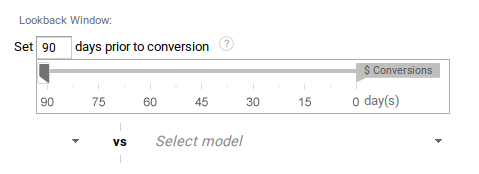
The report gets especially powerful when you look at it across 90 days. (See below how to do it.)
Coming soon: Linear, Last Non-Direct Click, and Position-Based Attribution Models
How to use the Google Analytics Attribution Model Tool
First, go to the conversions report, attribution, and Model Comparison Tool
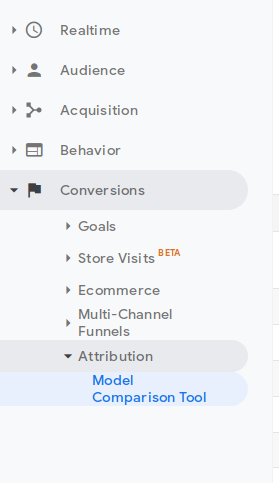
You'll be faced with this report:
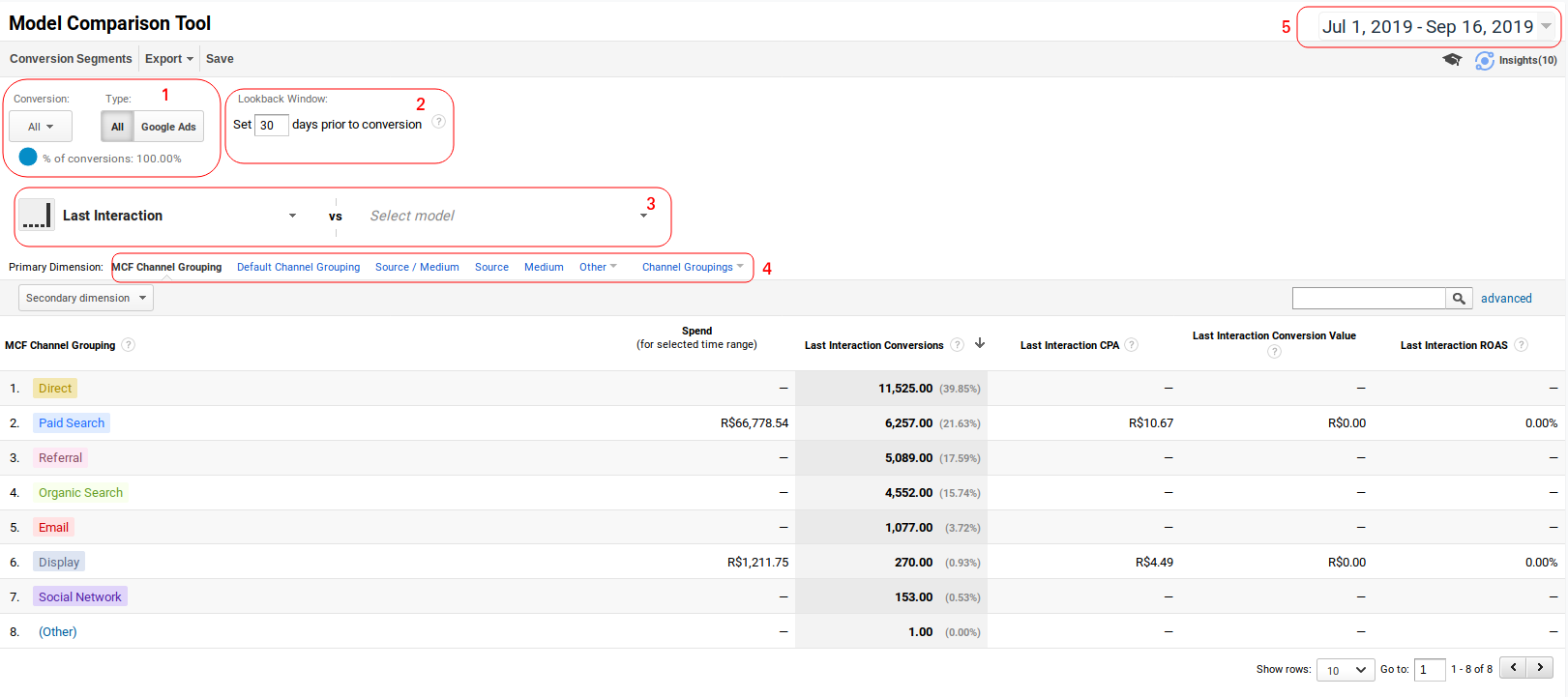
In numbered order, the most important settings are the following:
1) Conversion Type
You often have several conversion types set up, and you don't want to analyze all of them. So it's very important to select which goal you're going to analyze:
I usually keep one or two selected:
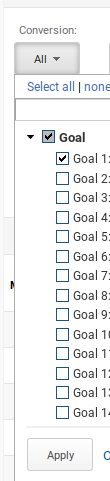
If you select Google Ads, you'll be able to see the Drilldown of your campaigns.
2) Analysis Period
You can look up to 90 days into the past to analyze results for first-click campaigns, for example! I like to always keep this setting at 90 days.
3) Attribution Model Selector
Here you can select the attribution models to compare.
I suggest you start by selecting Last Click, First Click, and Last Non-Direct Click;
4) Secondary Dimension
We often forget about this option: here, you can select the report's primary dimension. The default is MCF Channels, but you can select Campaigns, Source / Medium, and even Landing Pages;
That way, you can explore the conversion path of an organic piece of content from your Blog by analyzing Landing Pages as the primary dimension;
5) Date Selector
Never forget to select the date!!